
What is Google Business Profile — And How It Helps You Grow Your Business
Google Business Profile is the single most powerful free tool available to local businesses. Yet most businesses either don’t have one or leave it woefully underoptimized. Let’s change that.
📅 Updated: 2026
⏱ 6 min read
✍️ Digital Web Zones
You’ve probably searched for a restaurant, mechanic, or salon near you on Google. Within seconds, a map appeared with a handful of business listings — complete with photos, hours, reviews, and a call button. That’s the Google Business Profile in action. It’s your business’s digital identity on Google, and it’s one of the most important assets you can control as a local business owner.
Here’s what makes it remarkable: it’s completely free. Unlike paid advertising where your visibility disappears the moment your budget runs out, a well-optimized Google Business Profile works for you 24/7, putting your business in front of customers who are actively searching for exactly what you offer.
In this guide, Digital Web Zones walks you through everything you need to know about Google Business Profile — what it is, why it matters, and the exact steps to make it a growth engine for your business in 2026.
A fully optimized Google Business Profile puts your business front and center when customers search locally.
What Exactly is Google Business Profile?
Google Business Profile (formerly known as Google My Business, or GMB) is a free tool from Google that allows business owners to manage how their business appears across Google Search and Google Maps. When someone searches for your business name or a related service in your area, your Google Business Profile is what generates the information panel that appears on the right side of the search results or in the map listings.
Your profile can include your:
- Business name, address, and phone number (NAP)
- Operating hours (including holiday hours)
- Website link and directions
- Photos and videos of your business
- Customer reviews and ratings
- Services and products offered
- Posts, updates, and special offers
- Q&A section where customers can ask questions
- Messaging functionality for direct customer contact
All of this information is freely accessible to anyone who searches for your business or discovers you through a local search query. It’s your storefront on Google — and first impressions matter enormously.
Why Google Business Profile is Crucial for Local Growth
The impact of an optimized Google Business Profile on local business growth is hard to overstate. Here’s why it’s become indispensable:
It Controls the “Moment of Discovery”
The vast majority of customers discover local businesses through Google. According to data from Google itself, businesses with complete Google Business Profiles receive significantly more clicks, calls, and direction requests than those with incomplete or absent listings. This is the moment a potential customer decides whether to engage with you or scroll to your competitor — your profile determines the outcome.
It Drives Phone Calls and Store Visits Directly
Your Google Business Profile features a prominent “Call” button on mobile devices. Customers searching “plumber near me” can tap that button and call you directly from the search results — without ever visiting your website. The “Directions” button does the same for in-person visits. These are high-intent conversions happening at zero additional cost to you.
It’s a Major Local SEO Ranking Factor
Google uses your Business Profile data as a primary signal for local search rankings. The completeness, accuracy, and activity of your profile directly influences whether you appear in the coveted “Local Pack” — the top three business listings that appear with a map above all other organic results. Appearing in the Local Pack dramatically increases your visibility and click-through rate.
It Builds Trust Before a Customer Ever Contacts You
When customers see your profile with professional photos, dozens of positive reviews, and consistently accurate information, it builds immediate credibility. In an era of online scams and unreliable businesses, a well-maintained profile signals: “We’re real, we’re established, and we can be trusted.”
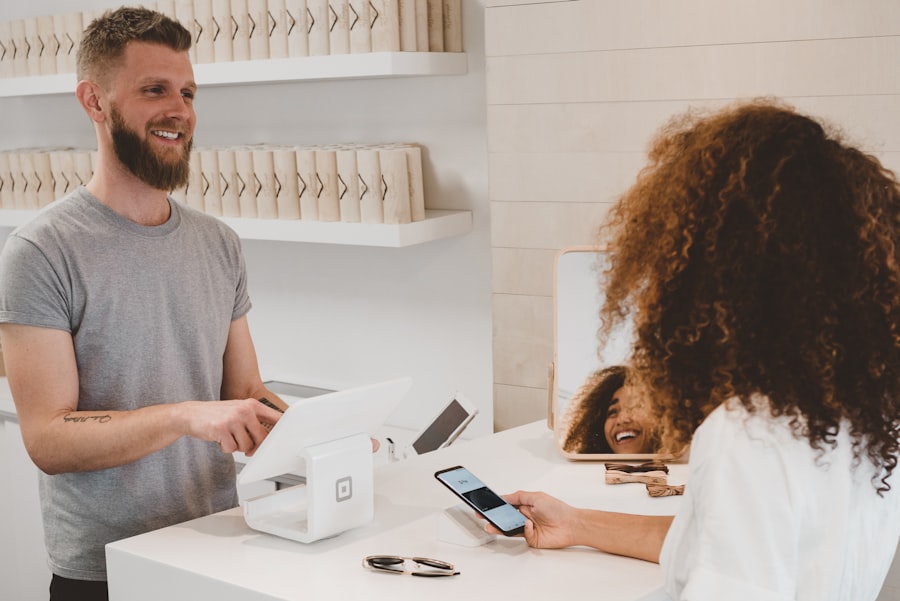
Regularly monitoring and updating your Google Business Profile keeps your business competitive in local search.
How to Set Up & Optimize Your Google Business Profile
Setting up your profile is free and relatively straightforward. Optimizing it for maximum impact requires more strategic effort. Here’s the complete process:
01
Claim Your Profile
Go to business.google.com, sign in with your Google account, and search for your business. Claim it if it already exists, or create a new listing if it doesn’t.
02
Verify Your Business
Google will send a verification postcard to your address or offer video verification. Completing this step is non-negotiable — unverified profiles have very limited functionality.
03
Complete Every Section
Fill in every available field: business name, address, category, hours, phone, website, services, and a compelling description with natural keyword use.
04
Add Quality Photos
Upload at least 10 high-quality photos — your storefront, interior, team, products, and services. Profiles with photos get far more engagement than those without.
Choosing the Right Business Category
Your primary business category is one of the most impactful fields in your entire profile. It tells Google what type of business you are, which determines which searches you’re eligible to appear in. Choose the most specific, accurate category available — and add relevant secondary categories as well. For example, don’t just select “Restaurant” when “Indian Restaurant” or “South Indian Restaurant” gives Google (and customers) a much clearer picture.
Writing a Compelling Business Description
Your business description is 750 characters of valuable real estate. Use it to describe what makes your business unique, the services you offer, the areas you serve, and your years of experience. Naturally incorporate your primary keywords but write for humans first, search engines second. Avoid generic filler phrases — make every sentence count.
📈 Growth Insight
Businesses that post updates on their Google Business Profile at least weekly see significantly higher engagement metrics — more views, more website clicks, and more direction requests — compared to businesses that post infrequently. Treat your GBP like a social media account that directly impacts your search ranking.
Advanced GBP Strategies to Dominate Local Search
Use Google Posts Consistently
Google Posts allow you to share announcements, offers, events, and updates directly on your profile. These appear prominently in your profile and in some search results. A well-crafted offer post with a clear call-to-action can directly drive clicks and conversions. The key is consistency — posting at least once a week keeps your profile active and signals relevance to Google’s algorithm.
Actively Manage Your Q&A Section
The Q&A section on your profile allows customers to ask questions — and anyone can answer them, including people who may give incorrect information. Proactively add your own Q&As with the most common customer questions and accurate answers. This not only prevents misinformation but also provides useful content that can improve your search visibility for specific queries.
Leverage Products and Services
Use the Products and Services sections to list every offering with prices, descriptions, and photos. This additional content gives Google more data points to match your profile to relevant searches and gives potential customers a richer preview of what you offer before they even click.
💡 Pro Tip
Enable messaging on your Google Business Profile and aim to respond to customer messages within an hour. Google tracks your response rate and speed — a fast response rate can give your profile a ranking boost and dramatically improves the customer experience. Set up a quick auto-reply for after-hours messages so customers always get an immediate acknowledgment.
⚠️ GBP Mistakes That Hurt Your Local Rankings
- Leaving your profile unclaimed or unverified
- Choosing a vague or inaccurate primary business category
- Uploading blurry, low-quality, or irrelevant photos
- Not updating your hours for holidays and special events
- Ignoring customer reviews (especially negative ones)
- Using your home address when you serve customers at their location
- Duplicating your listing (having multiple profiles for the same location)
Frequently Asked Questions
Is Google Business Profile really free?
Yes, completely free. Creating, claiming, and managing your Google Business Profile costs nothing. It’s one of the most valuable free marketing tools available to any local business, which is why not having one or leaving it incomplete is such a costly mistake.
What’s the difference between Google Business Profile and Google Maps?
Your Google Business Profile is the backend tool you manage — it’s where you input and update your business information. Google Maps is the front-end display where customers see and interact with that information. A fully optimized profile translates directly to a better, more prominent appearance in Google Maps.
How often should I update my Google Business Profile?
At minimum, review and update your profile monthly to ensure all information is accurate. Ideally, post updates weekly, add new photos monthly, and respond to reviews within 24–48 hours. Active profiles consistently outrank stagnant ones in local search results.
Can I have a Google Business Profile if I don’t have a physical storefront?
Yes. Service-area businesses (like plumbers, cleaners, or consultants) can have a Google Business Profile without displaying a physical address. You specify the geographic areas you serve, and Google shows your profile to relevant local searches without revealing your home address.
How do I get my business to appear in the Local Pack?
Focus on the three pillars Google uses: relevance (complete, accurate profile with right categories), prominence (earn reviews, build backlinks, stay active), and distance (ensure your address information is accurate). Consistent effort across all three factors over several months is the proven path to Local Pack visibility.
Want Your Business to Dominate Google Maps?
Want to grow your business online? Get expert SEO & digital marketing services from Digital Web Zones — we’ll set up, optimize, and manage your Google Business Profile for maximum local visibility.