Introduction
Having a Google Business Profile (GBP) is one of the most effective ways for local businesses to attract more customers. But just having a profile isn’t enough—you need to optimize it and keep it active to drive organic visits. More visits mean higher rankings, more engagement, and ultimately, more business.
At Digital Web Zones, we specialize in helping businesses improve their GBP for better visibility and lead generation. In this guide, we’ll walk you through practical steps to get more organic visits to your Google Business Profile.
What is Google Business Profile (GBP)?
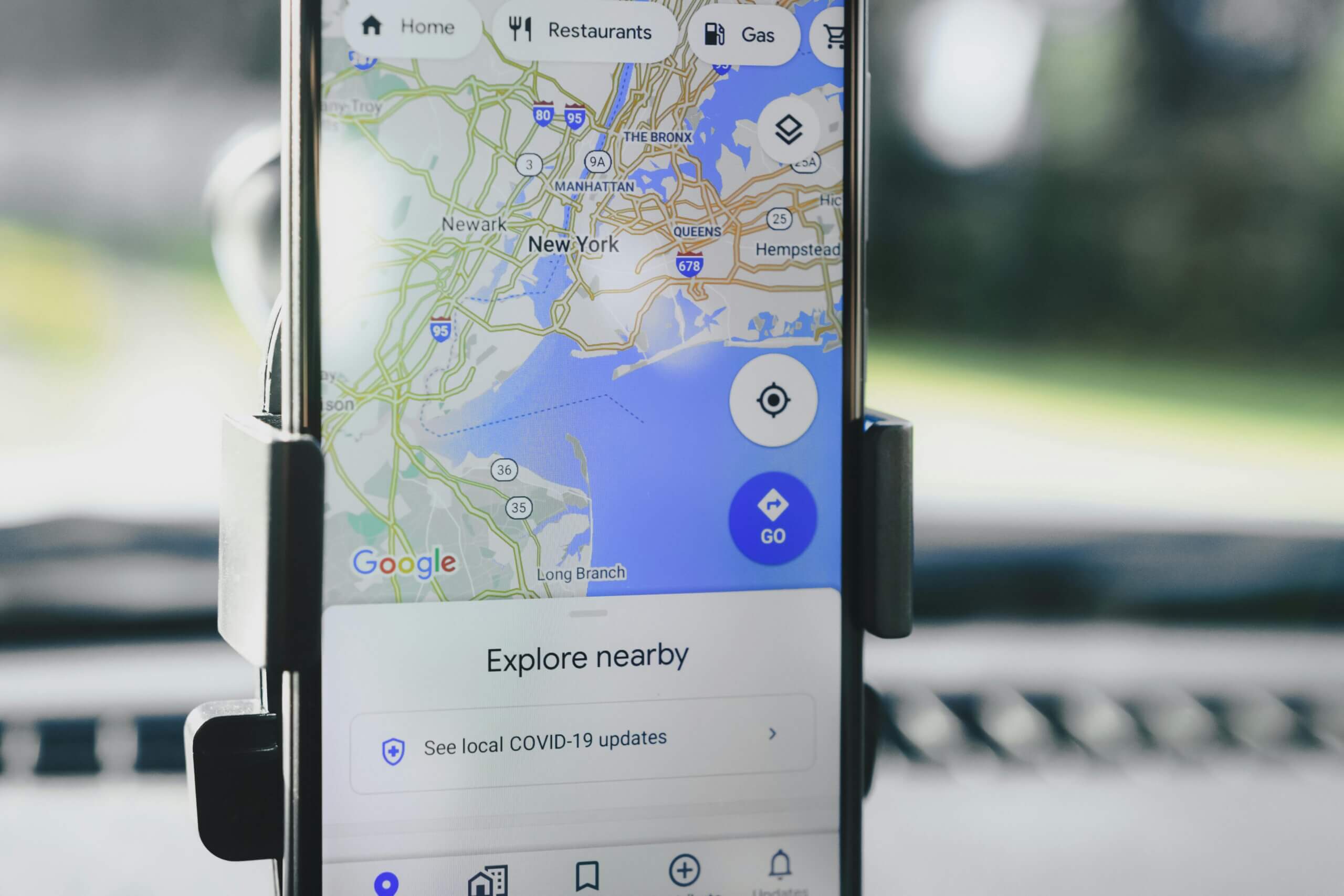
Google Business Profile (GBP) is a free tool from Google that helps businesses manage their online presence across Google Search and Google Maps. It allows businesses to display important information such as their name, address, phone number (NAP), website, operating hours, and customer reviews.
Having an optimized GBP increases your visibility in local search results, helping potential customers find and contact you easily. It also provides valuable insights into how people discover your business, what actions they take, and which search terms lead them to your profile.
Key Features of Google Business Profile:
- Business Information: Display essential details like location, hours, and contact info.
- Google Maps Integration: Helps users find your business quickly.
- Customer Reviews: Collect and respond to customer feedback.
- Posts & Updates: Share promotions, events, and news.
- Insights & Analytics: Track profile performance and customer interactions.
Benefits of Using Google Business Profile (GBP)
A Google Business Profile (GBP) is one of the most powerful tools for local businesses. It helps improve online visibility, attract more customers, and boost credibility. Here are the key benefits of using GBP:
1. Higher Visibility in Local Searches
An optimized GBP helps your business appear in Google Search and Google Maps, making it easier for local customers to find you. It increases your chances of showing up in the “Local Pack”—the top three business listings that get the most clicks.
2. More Website Traffic & Customer Leads
When people search for businesses like yours, your GBP listing provides direct links to your website, contact details, and directions. This makes it easier for potential customers to visit your site, call you, or visit your store.
3. Builds Trust with Customer Reviews
Positive customer reviews on GBP help build trust and influence buying decisions. A well-maintained profile with high ratings and prompt responses to reviews can set you apart from competitors.
4. Free & Effective Marketing Tool
Unlike paid ads, a GBP is completely free and helps drive organic traffic to your business. You can post updates, promotions, and events to engage customers without spending on advertising.
5. Valuable Insights & Analytics
Google provides GBP Insights, which show:
- How customers find your business (search queries)
- Where they are coming from (Google Search or Maps)
- Actions they take (website visits, calls, direction requests)
These insights help you improve your marketing strategy and understand customer behavior better.
6. Boosts Local SEO Rankings
An optimized GBP with accurate business details, relevant keywords, high-quality images, and customer engagement helps improve your local SEO ranking, making your business more competitive.
7. Direct Customer Engagement
With features like Google Posts, Q&A, and messaging, businesses can engage directly with potential customers, answer questions, and share important updates.
8. Mobile-Friendly & Easy to Access
Since most local searches happen on mobile devices, having an updated GBP ensures customers can quickly find and contact you from their phones.
Maximize Your GBP with Digital Web Zones
If you want to take full advantage of Google Business Profile and increase your local customer base, Digital Web Zones offers expert GBP optimization services to help your business grow. Contact us today for a free consultation!
How to Claim and Verify Your Google Business Profile (GBP)
Claiming and verifying your Google Business Profile (GBP) is the first step to managing your business’s presence on Google Search and Google Maps. Without verification, you won’t be able to update your business details, respond to reviews, or optimize your profile for better rankings. Follow these steps to claim and verify your GBP easily.
Step 1: Check If Your Business Is Listed
Before claiming your GBP, check if your business is already listed on Google:
- Go to Google Business Profile.
- Search for your business name.
- If it appears, it may have been automatically created by Google. Click “Claim this business” to take ownership.
- If it doesn’t appear, proceed to create a new profile.
Step 2: Sign In and Add Your Business
If your business isn’t listed, follow these steps:
- Sign in to your Google Account (preferably a business email).
- Go to Google Business Profile Manager.
- Click “Add Your Business” and enter your business name.
- Choose the right category that best describes your business.
Step 3: Enter Business Details
Complete all necessary business information:
- Business location (if you have a physical store).
- Service areas (if you provide services in multiple locations).
- Contact information (phone number, website, and working hours).
Step 4: Choose a Verification Method
To confirm ownership, Google requires verification. The available methods include:
- Postcard by Mail (Most Common) – Google sends a postcard with a verification code to your business address. It usually arrives within 5–14 days.
- Phone Verification – Some businesses may get an option to receive a verification code via phone call or SMS.
- Email Verification – If eligible, Google will send a verification code to your registered email.
- Instant Verification – If your business is already verified in Google Search Console, you may get instant verification.
- Video Verification – Google may request a short video showing your business location, storefront, or workspace.
Step 5: Enter the Verification Code
Once you receive your 5-digit verification code, enter it in the Google Business Profile dashboard to complete the process. Your profile will then be live on Google Search and Maps.
Step 6: Optimize Your Google Business Profile
After verification, optimize your GBP by:
- Adding high-quality images and videos.
- Updating business hours and services.
- Encouraging customer reviews and responding to them.
- Posting updates, offers, and events regularly.
Need Help Verifying Your GBP?
If you face issues while claiming or verifying your Google Business Profile, Digital Web Zones can help! Our experts ensure your GBP is set up correctly, fully optimized, and ready to attract more customers. Contact us today!
1. Fully Optimize Your Google Business Profile (GBP)
If you want more people to find your business, you need to fully optimize your GBP. This means:
- Ensuring your business details are complete and accurate
- Using keywords naturally in your business description
- Adding high-quality images
- Encouraging and managing customer reviews
A well-optimized GBP helps your business appear in local search results and Google Maps, bringing more organic visits.
2. Choose the Right Category for Your Business
2.1 Focus on Your Main Service
Google requires every business to choose a primary category that best describes what they do. Choose one that reflects your main service to ensure Google matches your profile with relevant searches.
2.2 Add Relevant Secondary Categories
If your business offers multiple services, include secondary categories to cover all your offerings. For example, a bakery can list “Bakery” as the primary category and “Cake Shop” as a secondary category.
2.3 Keep It Updated
If your business changes services, make sure to update your categories accordingly.
2.4 Check Out the Competition
Look at what successful competitors in your industry are using and adjust your categories if needed.
3. Write Locally Optimized Descriptions
3.1 Keep It Real
Write a business description that clearly explains what you do and how you help customers. Keep it simple and natural—avoid keyword stuffing.
3.2 Stick to the Guidelines
Follow Google’s rules: don’t add promotional content, URLs, or misleading information in your description.
3.3 Writing Tips
- Mention your city or neighborhood to boost local SEO.
- Highlight unique selling points.
- Keep it between 750-1000 characters for the best results.
4. Add Attributes to Your GBP
Google allows businesses to add attributes that describe their services. These include:
- “Women-owned” or “Veteran-owned”
- “Wheelchair accessible”
- “Free Wi-Fi”
Adding relevant attributes helps attract the right audience.
5. Use High-Quality, Geotagged Photos
Businesses with photos get 42% more requests for directions and 35% more clicks to their website.
- Upload clear, high-resolution images of your business, products, and services.
- Use geotagging to help Google associate your images with your location.
- Keep your photos updated and relevant.
6. Embed a Google Map on Your Website
Adding a Google Map to your contact page helps Google connect your website with your GBP, improving local search rankings.
7. Keep Your Profile Active with GBP Posts
Regular posts keep your profile fresh and engaging. Use GBP to post:
- Promotions and special offers
- New products or services
- Upcoming events
8. Get More Reviews and Engage with Them
Encourage satisfied customers to leave positive reviews. More reviews = better rankings.
- Send review requests via email or SMS.
- Respond to all reviews, both positive and negative.
- Avoid fake reviews—Google penalizes fake engagement.
9. Use the Q&A Section Effectively
- Monitor the Questions & Answers section on your profile.
- Proactively add FAQs to provide helpful information.
- Answer customer questions quickly to improve engagement.
10. Add Local Schema Markup to Your Website
Schema markup is structured data that helps Google understand your business better. Adding Local Business Schema improves search rankings and helps with local SEO.
11. Monitor Your Performance with GBP Insights
Google Business Profile Insights helps you track:
- How customers find your business
- The number of profile visits, calls, and direction requests
- Which search queries lead to your profile
Use this data to improve your GBP strategy.
12. Track GBP Traffic with UTM Tags
Add UTM parameters to your GBP links to track clicks and traffic in Google Analytics. This helps measure how many visitors come from your profile.
13. Generate Organic Visits for Your GBP with These Free Tools!
Use tools like:
- Google Search Console to track search performance.
- Google Keyword Planner to find relevant local keywords.
- Canva for creating attractive GBP posts.
14. Ready to Generate Organic Visits to Your Google Business Profile?
Following these steps will increase visibility, engagement, and customer inquiries on your GBP. The key is consistency—regular updates, reviews, and engagement make a huge difference.
At Digital Web Zones, we provide complete Google Business Profile services to help businesses rank higher, get more visitors, and convert leads into customers. If you need expert guidance, contact us today!
How to Rank Fast on Local Pack in Google Business Profile (GBP)
The Local Pack is the top three business listings that appear in Google Search when users look for local services. Ranking in the Local Pack means more visibility, more traffic, and more customers. But how do you get there quickly? Follow these steps to improve your Google Business Profile (GBP) ranking fast.
1. Fully Optimize Your Google Business Profile
Google favors well-optimized GBP listings. Ensure you:
- Claim and verify your business (if not done yet).
- Use the right business category and subcategories.
- Write a keyword-rich but natural business description.
- Add complete and accurate business information (NAP – Name, Address, Phone number).
- Upload high-quality images showcasing your business.
2. Use Local Keywords in Your GBP
To rank in the Local Pack, your profile needs relevant local keywords. Include them in:
- Your business description (e.g., “Best pizza restaurant in Chicago”).
- Google Posts and updates.
- Customer reviews (Encourage customers to mention your service and location).
3. Get More Positive Reviews & Respond to Them
Google prioritizes businesses with high-quality, recent reviews. Here’s how to get more:
- Ask satisfied customers to leave a review.
- Send a review request via email or SMS after a service.
- Respond to every review, both positive and negative, professionally.
4. Add Location-Based Photos & Geotag Them
Photos improve engagement and ranking. Make sure to:
- Upload high-quality images regularly.
- Geotag photos (attach location metadata).
- Show real images of your store, products, or services.
5. Post Weekly Updates on GBP
Google rewards active profiles. Keep your GBP fresh by posting:
- Special offers & promotions.
- New services or products.
- Upcoming events.
6. Build Local Citations & Backlinks
Consistency matters! Ensure your business name, address, and phone (NAP) are the same across:
- Local directories like Yelp, Yellow Pages, and Bing Places.
- Your social media profiles.
- Your website and contact pages.
Getting backlinks from local websites, blogs, and news sites also helps improve rankings.
7. Use the Q&A Section Effectively
- Answer customer questions quickly.
- Add frequently asked questions (FAQs) proactively.
- Keep responses informative and keyword-rich.
8. Improve Your Website for Local SEO
Your Google Business Profile is directly linked to your website. To rank faster, optimize:
- Page speed and mobile-friendliness.
- Local keywords in title tags and meta descriptions.
- Embed a Google Map on your contact page.
- Use local schema markup to help Google understand your business better.
9. Track Performance & Adjust Strategies
Use Google Business Profile Insights to monitor:
- How people find your business.
- Which keywords bring the most traffic.
- What actions users take (calls, website clicks, direction requests).
Adjust your strategy based on the data to improve rankings.
Want to Rank Fast in the Local Pack?
Ranking in the Local Pack requires consistent optimization, engagement, and SEO strategies. If you want expert help to boost your Google Business Profile ranking, Digital Web Zones offers professional GBP services. Contact us today and get ahead of the competition!
15. FAQs – Generate Organic Visits for Google Business Profile
How often should I update my Google Business Profile?
You should update your GBP at least once a week by posting new content, responding to reviews, and updating business hours if needed.
Does adding photos help in ranking?
Yes! Businesses with high-quality images get more views and engagement. Adding new photos regularly improves visibility.
How can I track visitors to my Google Business Profile?
Use GBP Insights and UTM tracking in Google Analytics to monitor profile visits, search queries, and customer actions.
Conclusion
Generating organic visits to your Google Business Profile requires optimization, engagement, and ongoing updates. By following these steps, you can increase visibility, attract more customers, and grow your business.
Need expert help? Contact Digital Web Zones for professional Google Business Profile services today!